


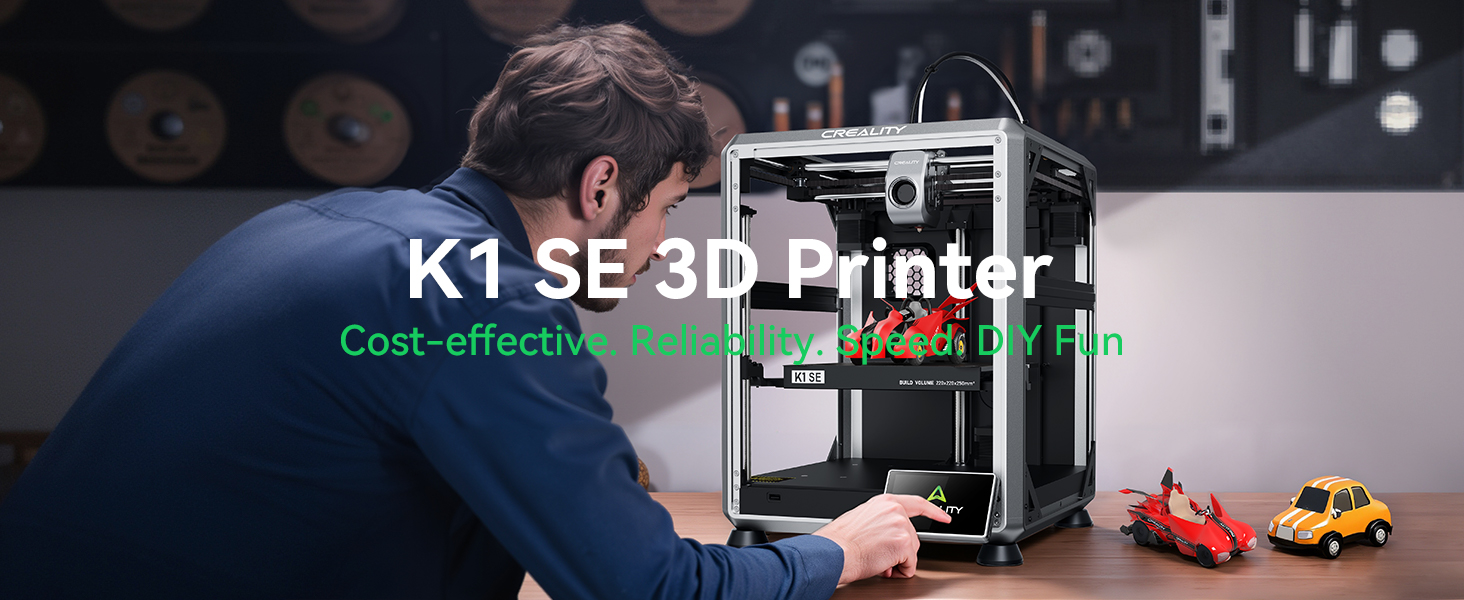
Creality K1 SE 3D Printer, 600mm/s High-Speed Hands-Free Auto Leveling Flagship-Level Direct Extruder Quick-swap Tri-Metal Nozzle K1 Upgrade 3D Printer, Print Size 250x220x220mm
Original price was: $299.00.$249.00Current price is: $249.00.


Product description
Creality K1 SE 3D Printer 600mm/s High-Speed Auto Leveling for Kids Beginners 


1 Creality K1 SE 3D Printer
2 Vigorous Extrusion
3 Durable Tri-metal Nozzle
4 Reliable Top Extruder Kit


1 Solid Frame Cast Parts
2 K1 SE Details Upgrader
3 Optional Accessories
4 Easy to Use


Creality 3D Printer and Resin 3D Printer
Add to Cart
Add to Cart
Add to Cart
Add to Cart
Add to Cart
Add to Cart
Add to Cart
Customer Reviews
4.0 out of 5 stars 659
4.0 out of 5 stars 458
4.0 out of 5 stars 659
4.0 out of 5 stars 659
4.0 out of 5 stars 676
4.0 out of 5 stars 458
4.5 out of 5 stars 1,703
Price
$249.00$249.00
$519.00$519.00
$219.00$219.00
$399.00$399.00
$1,199.00$1,199.00
$419.00$419.00
$21.99$21.99
Product Dimensions
355*355*482mm
355*355*480mm
420x366x490mm
409*392*477mm
495*515*916mm
410*445*577mm
N/A
Build Volume
220*220*250mm
220*220*250mm
220*220*250mm
260*260*300mm
350*350*350mm
300*300*330mm
N/A
Max Printing Speed
600mm/s,20000mm/s²
600mm/s,20000mm/s²
250mm/s, 2500mm/s²
500mm/s,12000mm/s²
600mm/s,20000mm/s²
600mm/s,20000mm/s²
N/A
Hotend Temp
s300°C
s300°C
≤260℃
s300°C
≤350℃
s300°C
N/A
Nozzle
Heatbreak Steel-tipped Nozzle
Heatbreak Steel-tipped Nozzle
Copper Nozzle
Durable tri-metal Nozzle
Hardened Steel Nozzle
Quick-swap Nozzle
N/A
Extruder
Dual-gear Direct Drive
Dual-gear Direct Drive
“Sprite” Direct Extruder
Direct Drive Extruder
Next-Gen Direct Drive Extruder
Dual-gear Direct Drive
N/A
File Transfer
USB Drive. WiFi
USB Drive. WiFi
SD Card
USB Drive. WiFi
USB Drive/Ethernet/WiFi
USB drive,WLAN,Creality Cloud
N/A
Filaments Supported
Hyper PLA/PLA/PETG/TPU
Hyper PLA,PETG,TPU,PLA/PA-CF
PLA/PETG/ABS/TPU 95A
Hyper-PLA/PLA/PETG/ABS/PLA-CF
PLA/ABS/PETG/PA-CF/PLA-CF/PET
PLA,TPU(95A),PETG,ABS,PLA-CF
N/A
Multi-Color Printing
✘
✘
✘
✔
✔
✘
✘
AI Camera
✘
✔
✘
✔
✔
✘
✘
Activated Carbon Filter
✘
✔
✘
✔
✔
✘
✘
【12X Speedy with CoreXY】K1 SE 3D Printer inherits the lightweight and agile CoreXY system of the K1 series. Max 600mm/s speed and 20000mm/s² acceleration.It can maintain print quality while printing at high speed, it is 12 times faster than the other normal 3d printer
【Flagship Reliable Extruder】Crealitry k1 se uses the same extruder as k1c. The extruder equipped with a newly added side spring & ball plunger, feeds filaments precisely without slacking. Apart from regular filaments, it can also handle flexible TPU. Equipped with the run-out sensor, it can more accurately detect and remind of material shortages, effectively reducing filament waste and misdetection.
【Durable Tri-metal Nozzle & 60W Hotend】Easy to maintain & quick to swap. The durable steel-tipped copper nozzle is integrated with a titanium alloy heatbreak. It blocks heat-creep and can be swapped super easily. The ceramic heater, 75s quick heating from 0 to 300℃, encircling the hotend can fully melt ABS*, and other filaments for ultra-fast printing
【Solid Frame Using Die Cast Parts】Creality 3d printer k1 se has a rigid frame with aluminum alloy parts made by integrated die casting. It also features corner gussets and crossbeams on both sides to reinforce the frame. It can effectively reduce vibration during high-speed operation and be more stable
【Auto Calibration with One Click】Give it a tap and walk away. This creality 3d printers offers one-click auto-calibration and z-offset gets everything ready for you. Bid farewell to the frustrating leveling work with calibration paper
【Out-of-the-Box Experience】K1 SE is pre-assembled and pre-tuned before shipment. After unboxing, it is ready for plug-and-play. The boot-up guide is similar to that of a new smartphone. From Unboxing to Powering on in just 3 minutes
【Anti-vibration Fan & Algorithm】A dynamically balanced part cooling fan produces fewer vibrations which are mitigated by active input shaping. No more ringing, and surface artifacts
【Open-source Creality OS & Creality Cloud】Creality OS based on klipper, enables many advanced functions such as linear advance and input shaping. You can customize it or join the open-source community to explore more. Creality Cloud, a diverse, convenient, and interesting all-in-one 3D printing platform




VRB –
Fast, Reliable, and Beginner-Friendly
I absolutely love my Creality K1 SE. It really is plug-and-play. You can be printing in minutes right out of the box. Free STL files are everywhere (Thangs, Thingiverse, even just Googling “.stl” brings up tons of options), and if you want something more specialized, there are paid files on sites like Etsy. Honestly, you could own this printer and never touch CAD. (though designing your own parts can be a fun rabbit hole in itself)The default settings on the K1 SE are dialed in. I’ve tinkered here and there for one-off projects, but usually end up back on stock settings because they just work. I did have one nozzle clog after a while, but Creality’s own YouTube tutorial walked me through the fix step by step. I cleaned the nozzle and was back up and running quickly.So far, I’ve only been using Creality Hyper PLA with great results and fast shipping from Amazon. However, this machine has me curious about trying specialty filaments on an enclosed printer someday. Even so, at $250 the K1 SE is a fantastic value. I run it almost nonstop. I run short prints while I’m home, long ones overnight, and 12–13 hour prints while I’m at work. This machine hasn’t missed a beat.One last note: even at 600mm/s, prints still take hours. I can’t imagine using a slower printer. If you’re shopping, get something this fast or faster, you’ll thank yourself later.
Tom –
My first 3D printer, it works well and is easy to use
My first 3D printer, and it just worksAfter much comparison shopping I settled on the Creality HI Combo.Arrival and assembly: As a first time 3D printer novice I was pleasantly surprised at how well the printer was packaged.Assembly was straight forward, insert the gantry, secure six screws, connect a few well marked connectors and it was done in probably less than 10 minutes. Adding the CFS was also simple, The only question was which cable went into which port. As it turned out it didn’t matter, but it would have been helpful to eliminate any confusion by providing information on this part. Placement of the CFS feeder also left a little too much to imagination. If I were to do it again, I would place the part a little lower on the side of the gantry (with the boudin tube coming out about mid point on the gantry). Overall a very sturdy piece of equipment.First startup: Turning on the printer and waiting for it to go through its initial startup process was fairly lengthy (I can only guess because I have no previous printer for comparison) but since it is only a one time event, it is what it is. The only issue was the printer runs through its complete diagnostics, then goes out to look for any updates. Of course it finds an update, installs it and then because it is updated it goes through the complete diagnostics a second time. I would think it would look for updates first then run diagnostics just once (It is a new toy and I was anxious to start playing).First run: I dispensed with running the standard tug boat test and proceeded directly to printing things I would actually use.Creality Print Software: I have no other slicer to make comparison, however I find the slicer fairly easy to work with, though not fully intuitive. There are many features and options to customize your projects some come with pop ups that briefly describe what the feature does, some are more cryptic, maybe it is just because I am new to the hobby. Some features have no pop up instructions, so I will just leave them at the default until I am more knowledgeable.2 weeks of use: over the past two weeks I have printed 36 projects. The shortest was 8:13, and the longest was 8:18:27, with a total run time for all projects at 52:54:51. I printed 14 multicolor projects all with no errors or failures. The only change I made to the default settings was to change the layer height from 0.2mm to 0.12mm. This makes very nice prints with no apparent layer lines.Materials used for my projects: As a new comer I have only been using Creality filaments. Mostly Hyper-PLA, but also CR-Silk, and CR-PLA.Summary: As a new hobbiest, I am pleased with this purchase I find the addition of the CFS combo makes this a pleasure to operate. I would purchase this again , and would recommend it to others. My only issue is I would like Creality to provide a comprehensive user manual to include recommendations on maintenance and service items that I need to do to maintain the printer. This could be a PDF on their web site. Also I have not been able to figure out how to register the printer with Creality.
Austin –
It doesnt work and its unreliable
To Whom It May Concern,I purchased the Creality hi Combo with the CFS at the end of May with the intention of using it for multi-color printing. I initially planned to purchase the Bambu Lab A1 Combo, but opted for this unit under the assumption it would be a smoother transition, since I already own the Ender V3 KE and am familiar with Creality’s slicer and app ecosystem.That assumption turned out to be completely wrong.From the very beginning, this printer has been plagued with problems. Every print came out misaligned by several layers. After numerous resets and calibrations, I discovered the drive belt was completely loose—nowhere in the instruction manual does it mention that this needs to be manually tensioned. That is an unacceptable omission for a printer at this price point.After manually adjusting the belt, the printer began working—briefly. Now it violently slams the print head into the endstop after purging filament, making an extremely loud, damaging sound. On top of that, any print longer than three hours results in fault code FO0528, stating the printer is printing without extruding. I’ve tested extrusion manually and confirmed that it functions, yet the fault continues.Even worse, after clearing the fault and attempting to resume the print, it lifts the hot end too high and completely fails to adhere to the previous layer. The result? Wasted filament, wasted time, and a canceled print—again and again. The only workaround I’ve found is to remove the CFS system entirely and print with the filament directly on the printer, which defeats the entire point of buying the combo in the first place.I have tried every piece of troubleshooting advice I can find online and in the manual (which, frankly, is minimal and poorly written). Still, the issues persist.And what’s worse: there is no customer service number for the manufacturer, and your Amazon-provided warranty doesn’t take effect until the manufacturer’s warranty ends. So in reality, I paid extra for a warranty I can’t even use when I need it most.This entire experience has been nothing short of infuriating. I have wasted a tremendous amount of money—not only on the printer but on failed prints, wasted filament, and countless hours of my time. At this point, I feel scammed by both Creality and Amazon.This is the worst experience I’ve had with any tech product, and it’s made me seriously question the value of Amazon Prime. I would have been far better off purchasing from a reputable retailer like Micro Center, where they actually offer a real warranty, support, and a no-hassle return or exchange policy.I expect a full resolution immediately. That means either:• A replacement printer that actually works,• A full refund, or• Escalated support from a real human being with the authority to fix this.Otherwise, I’ll be forced to file a formal complaint and pursue this further. I refuse to be left stuck with a broken product and a useless warranty.I await your immediate response
Pedro Lucas –
Impressora muito boa e rápida, não deu nenhum erro de impressão e tem ótima qualidade de impressao
Anis –
Excellent product but requires attention.
JCRG –
Muy buen producto, al principio me costó trabajo sincronizar la Creality HI con la unidad CFS…. Pero después todo ha trabajado de maravilla
Xavier –
Seller was amazing, delivery was before than expected. And the product is perfect. Very nice printer I’m impressed
Leandro Porto –
Excelente impressora! Tive alguns problemas de configuração no inicio mais o suporte da Creality me ajudou tranquilamente!!!