


![DSS Games Who's Most Likely to...Kinda Clean Family Edition [A Party Game | Great for Adults & Teens | White Elephant Gift, Stocking Stuffer | Game Nights & Big Groups]](https://creativemomco.com/wp-content/uploads/2025/11/61h3VO1t3VL._AC_SL1500_.jpg)
15.6 Inch Smart Digital Calendar Wall Planner & Chore Chart, IPS FHD 1920×1080 Touchscreen Interactive Display for Family Schedules, Streamline Household Organization
$249.99



Product description
Smart 15.6” Digital Calendar: More Than Just a Digital Calendar 


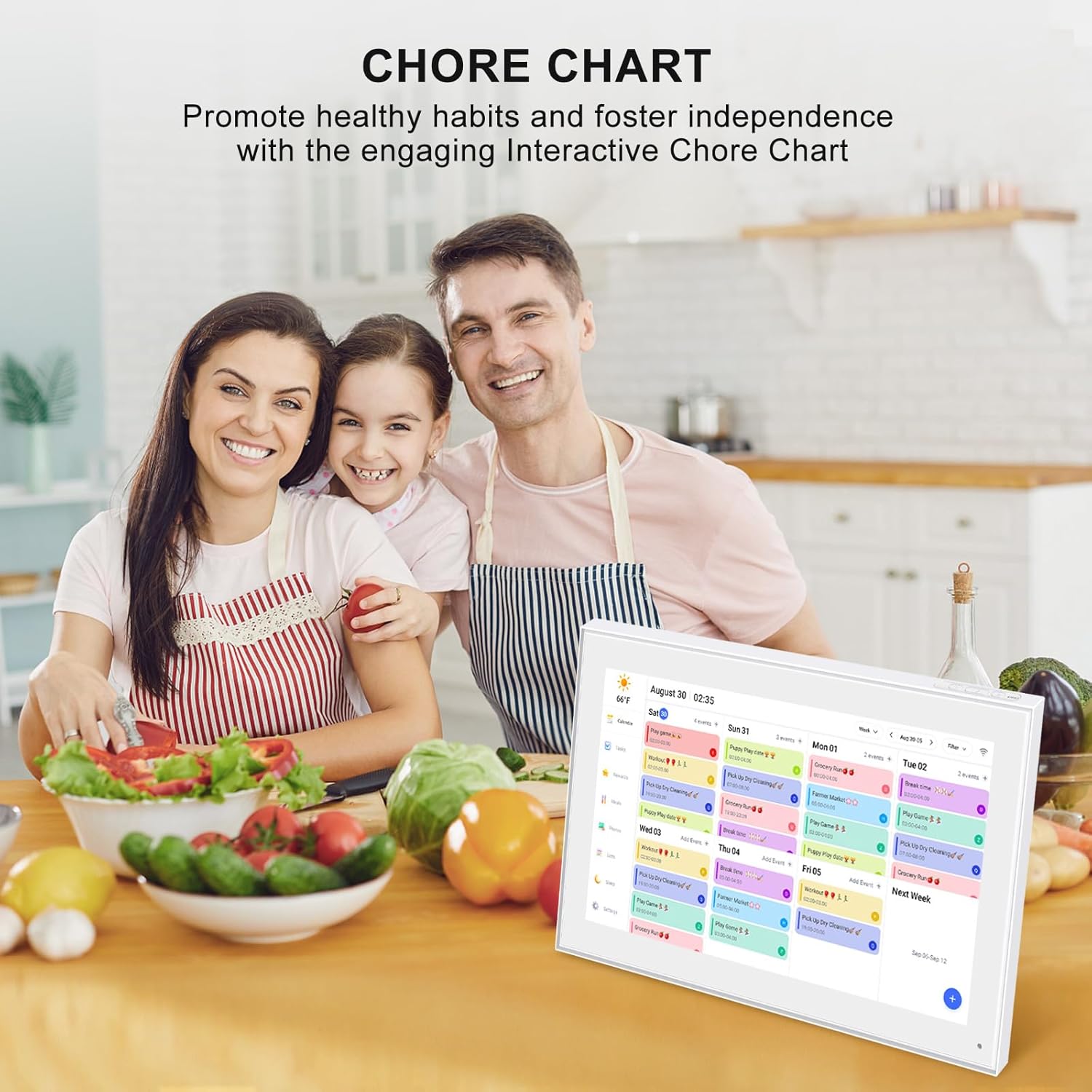
The Ultimate Smart Family Planner: A WiFi-enabled digital calendar and smart touchscreen organizer designed to simplify family scheduling. Assign unique colors and tasks to each family member for seamless coordination. Perfect as your reliable 2023-2025 wall calendar and beyond, keeping everyone in sync effortlessly.
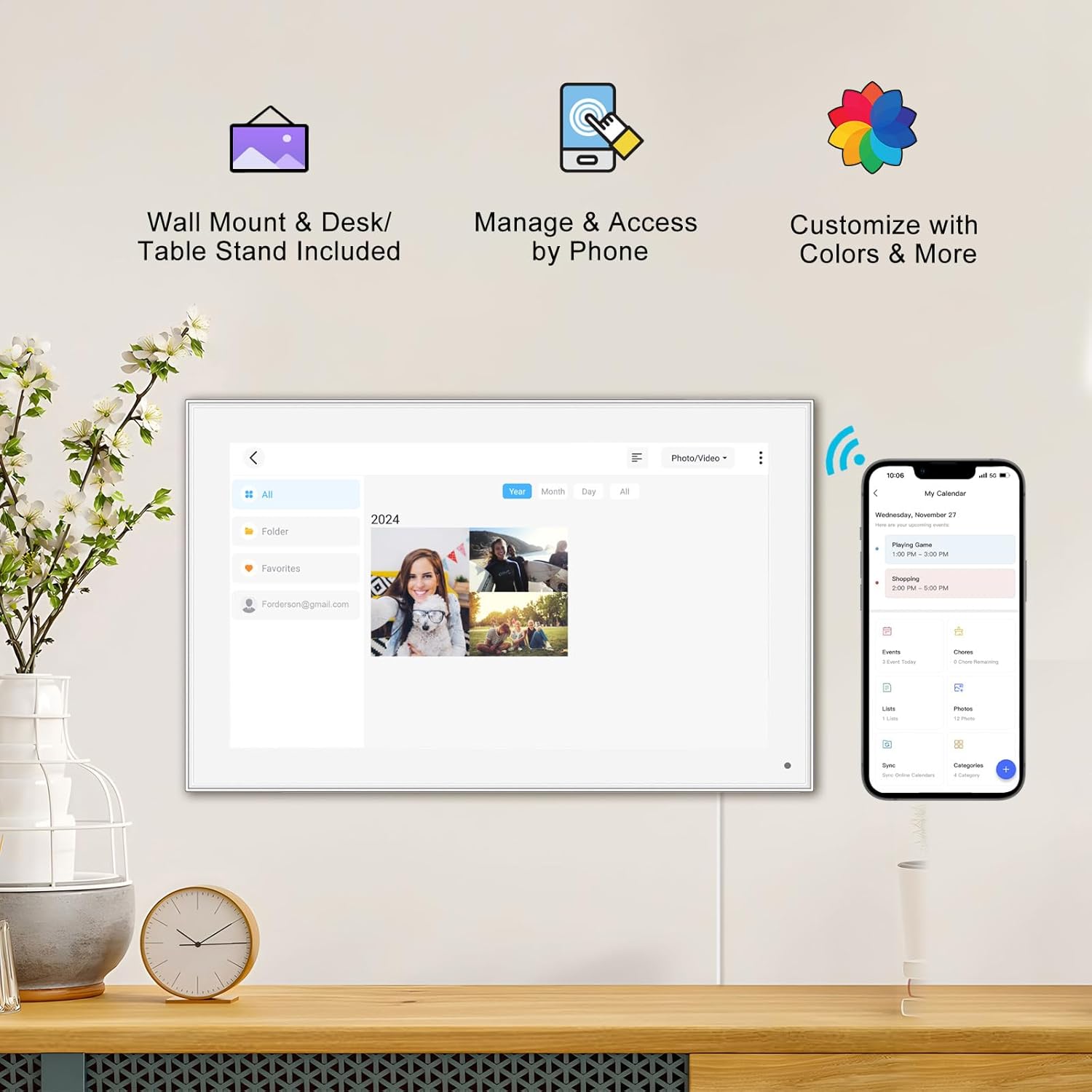
Effortless Setup: Plug it in, connect to Wi-Fi, and sync your calendars for instant access to all your events. Manage schedules directly on the device or via the user-friendly mobile app. Compatible with popular platforms like Google Calendar, iCloud, Outlook, Cozi, and Yahoo, making family organization seamless.
More Than Just a Digital Calendar: Supports sending Photos & Videos by Fr-ee App, sharing wonderful moments with your family & loved ones from anywhere, more than just a digital photo frame can do.
Elegant and User-Friendly IPS FHD Smart Display: Featuring a 15.6” touchscreen, this versatile planner can be mounted on the wall or placed on a stand, making it a stylish and functional addition to any home or office. Its flexible setup options suit both daily family planning and professional workspace organization.
Task Management and Meal Planning: Effortlessly add, edit, and track chores as the day progresses. Foster healthy habits and independence with an interactive chore chart that transforms daily tasks into rewarding milestones. Keep your family informed with a clear dinner plan, eliminating the daily ‘What’s for dinner?’ question.
Stay Connected Anywhere with the Fr-ee App: Manage your Calendar seamlessly through the mobile app. The Basic Plan includes essential features such as Dinner Plans, Calendar Sync, and a Chore Chart. Greater flexibility beyond the standard Dinner Plans.
Covered By One Year: Moonka Digital Calendar is covered by a one-year and enjoys online support to help you with any issue you might encounter. If you have any problem with the Digital Calendar, please contact us, we will do our best to help you.




HUY LE –
15.6 Inch Digital Calendar
Given that everything is displayed in a way that is both clear and legible, especially when seen from a distance, I believe that the huge touchscreen display is one of its most advantageous characteristics. There is no need for me to squint or move closer to the screen every time I want to take a quick look at the schedule since the screen is bright and has a high resolution. This makes it easier for me to keep track of impending events, deadlines, and daily duties. The wall mount that was supplied in the package made positioning more flexible than I had first anticipated, and the process of setting it up was surprisingly simple. Following the successful attachment of the gadget to the wall in the kitchen, I proceeded to download the companion app, which enabled me to easily add new events, images, and reminders from any location. Because of the real-time synchronization, my spouse and I are able to update the calendar in a matter of seconds, regardless of whether we are out doing errands or at work. This allows us to relax and think about the fact that the whole family will be able to view the changes instantly. My experience with the first navigation of the app was not very positive since it initially seemed to be a little bit complicated. However, after some trial and error, it grew more obvious, and today I find that adding new tasks and timetables is very straightforward. This is because it became easier to use. Another minor complaint is that the chore chart tool could use a few more customization choices, particularly if you have numerous children who want distinct lists. This is especially true if you have a large number of children. However, after I had built a fundamental technique, we were able to modify it to meet our requirements by establishing color-coded portions that were specifically designated for each member of the family.
S D. –
Great technical support A++
I have owned more than one Frameo photo frame, as I gifted one to a sibling. When I purchased a new phone, my original Frameo app stopped working—likely because I had the app before they started linking email addresses to accounts. Fortunately, the technical support team was incredibly helpful in getting my Frameo app reconnected. Hands down, it was the best technical support I’ve received in a long time.
jianxin –
A very good electronic photo album
This digital calendar is very convenient for my work, it can arrange my daily work schedule very well, it is very clear, it solves my procrastination, and it can also be used as a frame when resting. Digital Calendar
Bezli –
Testing This Digital Planner at Home
After struggling with our messy kitchen whiteboard calendar for years (and my kids constant complaints about my terrible handwriting lol), I finally decided to give this digital calendar a shot about a month ago, and wow what a difference its made in our daily chaos. The 15.6 inch screen is actually bigger than I expected and super responsive to touch – no more squinting at tiny phone calendars! Setting it up was pretty straightforward, tho I did have to fiddle with the wifi connection a couple times before it stuck. I love how each family member gets their own color (my 12 year old picked purple of course) and I can finally keep track of everyones activities without playing twenty questions every morning. The meal planning feature has been a lifesaver – no more blank stares when the kids ask whats for dinner, and the grocery list syncs right to my phone which is super convenient. The photo sharing is neat but tbh we mostly use it for schedules and tasks. One annoying thing is that sometimes it takes a few seconds to update when you add something thru the app, and occasionally it doesnt sync right away with my google calendar. The stand works fine but I wish it was a bit more sturdy – it wobbles a bit when you tap the screen. The chore chart feature is good but my kids figured out how to mark things complete without actually doing them (clever little rascals). The screen can get a bit glare-y in direct sunlight so had to move it away from the window. The apps decent but could use some work on the notification system – sometimes it sends alerts for things ive already marked as done. Been using it heavily for scheduling and its definitely made our mornings run smoother. Nice to have everything in one place instead of scattered across post-its and phone reminders.
Smllchng –
Did not sync to calendar, even after help from support
Got this and when I tried to sync it with my ecalendar, it came up with a Java script error. I contacted support and they fixed it that night. The next day I tried to sync, and while it showed that it synced over 600 items, it did not show up on the ecalendar. (Sometimes my son’s calendar would show up for a bit, but then the next time I tried to sync a different calendar or all 3 (mine and my 2 kids) his went away. Real buggy) I followed all the instructions and support only said to make sure I sent an invitation to the .myecalendar.com address, which I had. The Support did respond, but was really no help (and the FAQ page is really no help either. ) I ended up returning it and getting another one and it synced with no issues and is working beautifully. I would suggest paying the extra to get a calendar that actually will sync to your google calendars flawlessly. (Also if you want to attach to the wall, it is just by 1 screw in the back, and it was really wobbly on the wall. The new one I purchased is much more stable on the wall)
ポコペン –
メガドライブミニ2を遊ぶために購入しましたケーブル類が揃っているのですぐに使えますUSBのCポートケーブルも付いているので手持ちのスマホも繋げましたカバー付きで自立できるのも何気に嬉しいです画質は手持ちPCと比べての評価なので低めですが単体で使用してれば気にならないくらい満足できるレベルです映り込みも使用する環境によっては問題ないかとスピーカーはこの薄さで音が聞けるだけ十分かと
kfdeina –
性能はいいと思います。値段が安めでうれしいです。表示中にかすかにピーーーという音がするのがいささか気になるので、常時使いはちょっとイヤかもしれません。モバイル用途ならまったく問題ないと思います。
hidem002002 –
液晶:パネルとしては発色もきれいでドット抜け等のトラブルもなく良好音声:スピーカーは低音は当たり前に出ないがはっきり聞こえるし必要十分接続:MiniHDMI×1 USB-C×2(1つは電源供給専用) MicroUSB×1バッテリー:無し(記載はあるが内蔵されてません)付属品:スタンド一体ケース(これは嬉しい) HDMI-miniHDMI×1 USB-C通信ケーブル×1 USBA-USB-C充電ケーブル×1この価格でこれだけの物であればGoodだと思います。モバイルバッテリーで問題なく動作してます!1つだけ不満な点があるとすれば、イヤホンジャックが無いこと。これがあれば星5でした。
水風 まるり –
完全在宅勤務から出社する機会も増え、出先でも使える拡張ディスプレイを探してたところこちらの商品に出会いました。想像していたよりも軽くて大きく、PCからであれば付属しているUSB-C〜USB-Cケーブル1本で給電も画像転送もできるため、持ち歩くケーブルも少なくてとても重宝しています。スマホ(GalaxyS22 ultra)で動画配信を見る時は、付属のUSB-Cケーブルで別途給電が必要ですが、ミラーディスプレイとしても使え、さらに音も出力できイヤホンジャックもあるので、仕事用だけでなくプライベートでも使えそうでとてもお得なお買い物でした。カバー(磁石で止まる)がスタンドとしても使えるので、非常に便利です。
LarK –
画質は、良くもなく悪くもない、といったところです。スピーカーが内蔵されています。(貧弱な音ですが、ないよりはましです。)手軽に持ち運べて便利です。