


Smart Digital Calendar 21.5 Inch – Electronic Wall Calendars Chore Chart, FHD Interactive Touchscreen Family Planner, Task Rewards and Meal Planner with Weekly/Monthly Family Home Organization
Original price was: $399.98.$349.98Current price is: $349.98.


From the brand


Want more features?
We’ll keep adding more!

First-Time Setup Guide

See Schedule in a New Light

See Everything at a Glance

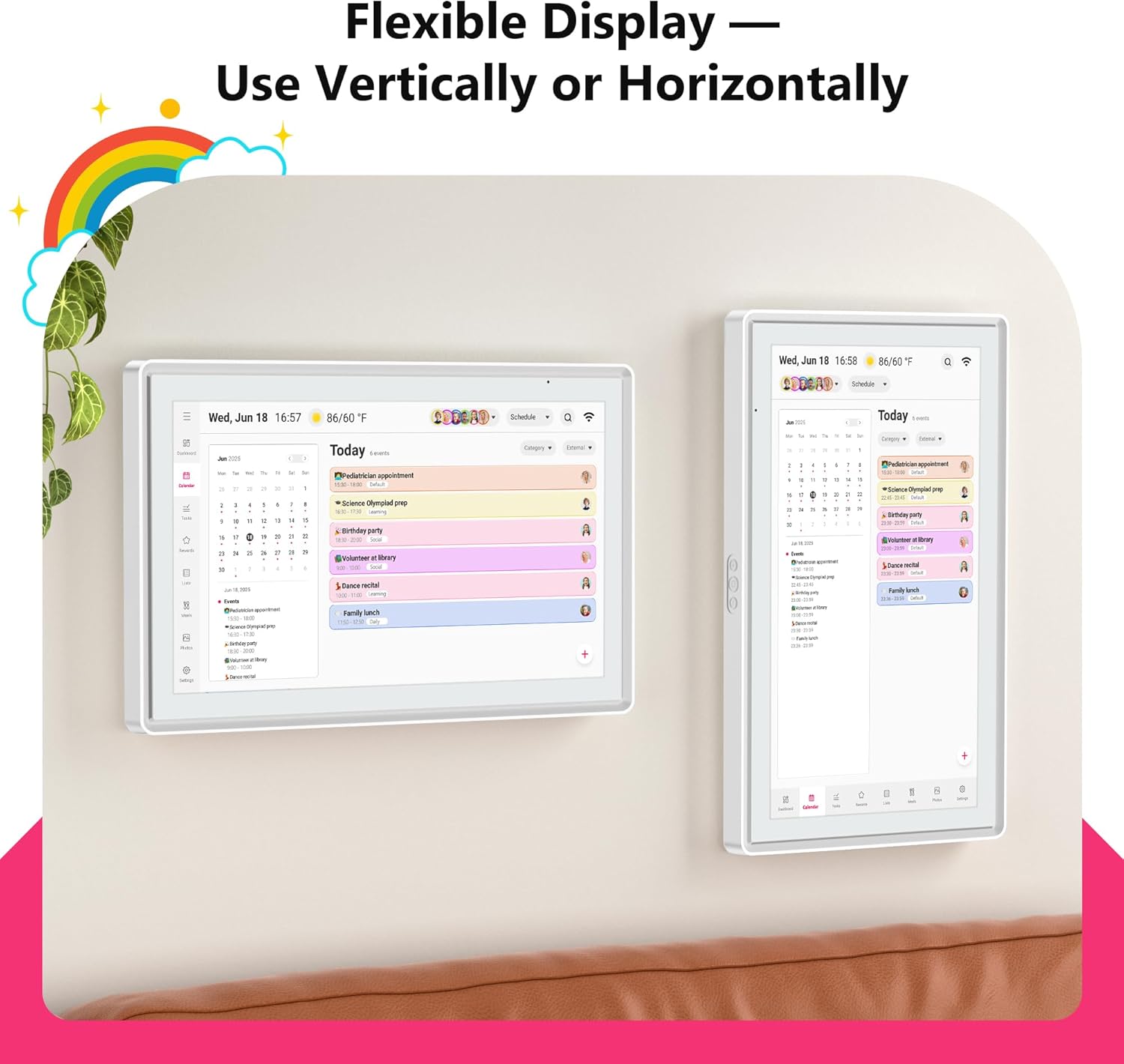
Auto-Rotate

1.【All-in-One Family Hub & Routine Planner 】Manage all family schedules right on the 21.5″ FHD touchscreen large digital calendar. Add meeting or recurring plans and view them in daily, weekly, or monthly layout. Moreover, assign each member a unique colored LED light with sound reminders—so kids and grandparents never miss what’s important.
2. 【Reward-Based Chores Chart】Turn chores into a fun game! ! Kids earn rewards for completed tasks, building responsibility and good habits. For parents, it acts as a smart family manager that automatically tracks progress, reduces nagging, and brings harmony to daily routines.
3. 【Sync Your Online Calendars】This smart calendar support syncs events from Google, Outlook, iCloud, and other platforms. ◁ ▷More attention, It offers two-way sync with Google Calendar, edits on your phone or calendar update instantly everywhere. ▷ For iCloud, Outlook, and more, you can see all events clearly on the big screen at home.
4. 【Meal Planner & Digital Photo Frame】 Weekly Meal Plans: Plan your family’s weekly meals in advance. Simplify grocery shopping and meal prep—no more daily “what’s for dinner?” stress. Photo & Video Display:: When not managing your day, this electric calendar becomes a beautiful digital photo frame or screensaver. Easily sync moments from your phone to relive cherished memories every day.
5. 【Smart Features, Flexible Placement】►Integrated features like weather, auto-brightness, rotation, and sleep mode make daily use effortless. ►BIGASUO digital wall calendar includes sturdy alloy wall-mount for flexible placement in the kitchen, living room, or bedroom. ►Backed by 24/7 expert customer support to help with setup, sync, and troubleshooting.
6.【Easy Use Smart Family Calendar Planner】 Plug in, connect WiFi, and add members through “Whale Framely” app; All features without subscription fees
7.【Ongoing Value】 Our dedicated technical team regularly releases updates to unlock new features—just remember to click “Update” for the smartest family planning experience.







Orcatrainer –
An Absolute Game-Changer for Our Busy Household!
For years, our household’s schedule has been a chaotic mix of a kitchen whiteboard, random text messages, and a fridge covered in sticky notes. We’ve tried shared apps on our phones between roommates, but something always got missed. I bought this 21.5-inch digital calendar on a whim, hoping it would bring some order to the chaos, and I can honestly say it has completely transformed how we manage our lives.The first thing that strikes you is the size. The 21.5-inch screen is huge, bright, and easy to read from across the room. It’s become the central command center of our kitchen. The setup was shockingly simple, I just plugged it in and followed the prompts. No tech wizardry required.What truly makes this calendar special is the family-centric design. Each of us has our own color (I’m blue, my other roommate chose red and Green), and the little LED light that glows with the color of the next upcoming event is a brilliant touch. It’s so easy to glance at the calendar and instantly know who has something coming up. The kids have even taken ownership of their schedules, adding their own homework reminders and playdates.The functionality goes way beyond just appointments. We have shared lists for groceries, meal planning for the week, and we’re already building one for Christmas gift ideas for friends and family. It’s fantastic to add “milk” to the list from the kitchen and know that I will also see it on my phone app while I am at the store.Speaking of the app, the “Whale Framely” app and calendar syncing is flawless. The two-way sync with our respective Google calendar is perfect. Changes I make on my phone are instantly on the kitchen display, and vice versa. I also love the privacy feature: the main display shows everyone’s plans so we are all on the same page, but on my personal phone app, I only see my own events, which keeps things uncluttered.This calendar is more than a gadget; it’s the personal assistant our messy household desperately needed. It has eliminated the constant “Are we busy on Saturday?” questions and has made sure we haven’t missed a single appointment or birthday. If you’re looking to bring some calm and organization to your household or family’s hectic schedule, I cannot recommend this enough. It’s worth every penny, especially with no subscription fees!Pros:* Large, clear, and vibrant touchscreen display.* Incredibly easy to set up and use.* Color-coding and LED lights are fantastic for at-a-glance info.* Seamless two-way sync with Google Calendar.* The shared lists feature is incredibly useful for household management.* No subscription fees!Cons:* Honestly, I can’t think of any yet! It has exceeded all my expectations.
Tristan Knapp –
The Kitchen Command Center
My family used to run on sticky notes, fridge magnets, and a lot of crossed wires. Someone was always asking whose turn it was to take out the trash or whether soccer practice had been moved again. I finally caved and put this digital calendar up in the kitchen, and now it’s the first thing everyone checks when they walk by.What I love most is that each person has their own color. My son thinks it’s hilarious that his soccer schedule glows green, while my reminders light up in red like a warning sign. The touch screen is so big that you can see the week at a glance without squinting, and it’s actually fun to add things. Even my teenager, who usually avoids “family stuff,” started putting in his own plans.The syncing has been a lifesaver. I can add an appointment from my phone at work, and it’s already waiting on the calendar when I get home. The blue LED reminder light feels futuristic, but it’s also practical if it’s glowing, someone has something coming up.Now instead of chaos, we’ve got a single hub that quietly keeps us on track. Birthdays don’t sneak up on us, nobody misses practice, and even grocery lists get knocked out faster. It’s become part of our daily routine, and honestly, the house feels calmer because of it.
Matthew S. –
Upgrade Your Calendar to the 21st Century
A really cool to upgrade the old-fashioned calendar to a modern digital version. It sinks on your Wi-Fi and then you can use the app to add or delete events as necessary. You can also use the touchscreen to add events directly or look at existing things on your calendar. When not in calendar mode, you can also use it to see the weather for your location.
Heather Terstriep –
Great for Family Chores
This digital calendar is great for organizing the family. The large touchscreen lets you effortlessly move from one function to another. The digital calendar has a brightness feature that lets us read it from across the room. The list function is invaluable for directing children through their chores. They can even check their chores off as they are completed. This is one of those things you didn’t know your household needed until you had it.
Frank Caller –
How This 21.5-inch Calendar Machine Changed My Life
As a mom expecting my fourth child, I needed more time for myself instead of drowning in endless daily chores. Now, it’s not just a calendar—it’s become our family’s “command center.”Why I went big — and why it worksI was unsure about the size at first. But hanging it in our kitchen. And I can see everything clearly, even from across the room with messy hands. No more bending over or squinting — especially helpful these days! Best of all, the kids can check it themselves.What I actually use dailyOne Screen for EverythingGone are the days of sticky notes all over the fridge. Now soccer practice, OB-GYN visits are all right there. I probably save 30 minutes a day just from not digging through chats and papers.Whole Family ParticipationI assigned colors to everyone — my husband (blue), me (pink), and each of the kids. They actually check it themselves and know what they need to do. Yes, even my 3-year-old knows when it’s “mom’s quiet time”!Photo SlideshowsI uploaded some recent vacation pics, and now the kids love gathering around, guessing which memory pops up next. It’s become our little joy moment during meals.The real result?I feel less overwhelmed. My husband steps in without me asking. The kids are learning responsibility. And my 8-year-old reminded me yesterday: “Mom, your rest time is at 10 — want me to read to you?”