


Digital Calendar Touch Screen 10 Inch, Electronic Calendar Chore Chart for Family Monthly/Weekly/Daily Planner, Smart Calendar for Home Organization, Desk Mount and APP Control
$159.99



Digital Calendar Touch Screen 10 Inch, Electronic Calendar Chore Chart for Family Monthly/Weekly/Daily Planner, Smart Calendar for Home Organization, Desk Mount and APP Control
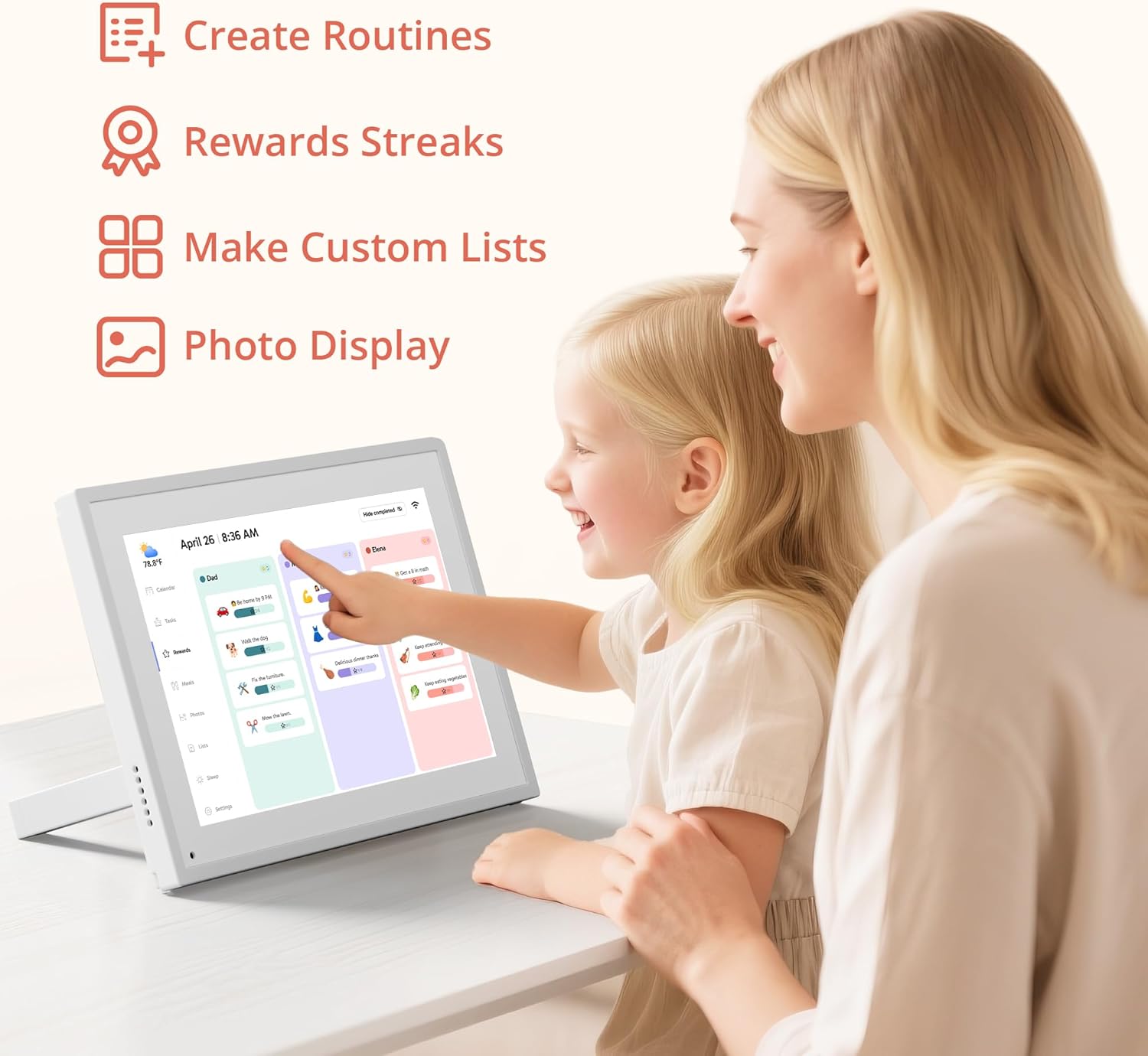
All-in-One Family Organizer:10” touchscreen digital calendar simplifies family scheduling. Create events by role or events, switch between daily, weekly, and monthly views effortlessly. Ideal for syncing everyone’s activities, from school events to work meetings
Interactive Task & Reward System:Boost family participation with customizable task and reward interfaces. Assign chores, set goals, and award stars—turn responsibilities into fun challenges that keep kids and adults motivated. Smart desk calendar for smart family life
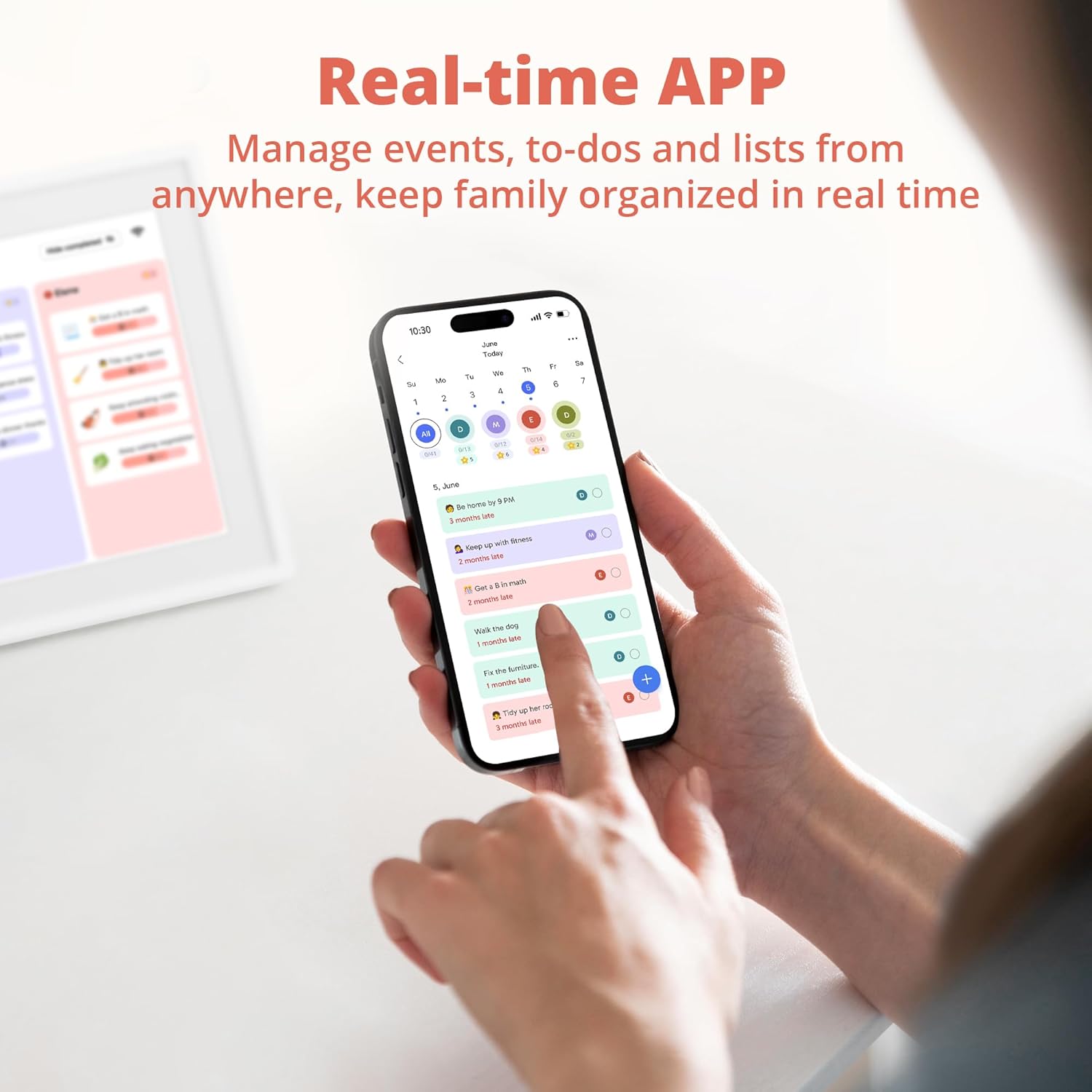
Flexible Cross-Platform Sync Options:Wirelessly sync with Google, Yahoo, and other major calendars via the dedicated app, with the freedom to choose whether to share your schedule or keep it private. Update changes instantly across all devices, ensuring your family stays coordinated while maintaining control over your privacy
Dual-Purpose Space Saver:Beyond scheduling, enjoy 32GB of storage for digital photos. Transform electronic calendar into an electronic photo frame, displaying cherished memories when not in calendar mode. Sleep function saves energy between uses
Effortless Setup, Lasting Convenience:Intuitive touch controls make navigation easy for all ages. Compact yet feature-rich, this calendar planner streamlines family life, helping you manage time, share schedules, and create routines with ease







vinny –
Good! Quality construction, challenging start…
The DragonTouch e- Calendar is an impressive and thoughtfully designed product. I appreciate the sleek packaging and the high-quality frame, which allows it to double beautifully as a digital photo frame when not displaying the calendar. The layout and display design are modern and user-friendly, making it an attractive addition to any home or office space.The ability to share and sync family calendars can make coordinating schedules much more efficient and convenient. This functionality can be especially helpful for keeping everyone organized.However, I did encounter some difficulty when uploading calendars initially. A more streamlined or intuitive upload process would make the overall experience even better.Overall, the Dragon E Calendar is a great tool for both function and style—ideal for families or professionals looking to stay connected and organized
Daniel –
Nice display and easy to set up and use.
My first digital calendar is this Dragon Touch Digital Calendar. Previously, I used sticky notes and a traditional paper calendar to track appointments and bill due dates.Features and SetupThe Dragon Touch is a 10-inch digital calendar that also functions as a digital photo frame, a significant bonus for me as an avid photographer. Setting it up was a breeze. It connected to my wireless network without any issues, and adding calendar events is equally simple. I particularly appreciate the ability to create separate user profiles for my wife and me, allowing us to use it effectively and keep our events organized under different profiles.I downloaded the companion app to my iPhone, and syncing it with the digital calendar was seamless. I immediately tested the photo transfer function from my phone via the app, and it worked flawlessly. I typically leave the device on my end table, using it as a picture frame when not needed as a calendar.Display and PerformanceThe display is of excellent quality. It is very bright, and the colors appear more vibrant than on my older, dedicated photo frame. This isn’t surprising given that it’s a newer device, but the superior display quality is still noteworthy, as it makes a big difference when using it as a picture frame. The touch functionality is also very responsive, as expected.Final ThoughtsOverall, this is an excellent product for anyone who wants a calendar that doubles as a picture frame. It’s easy to set up and use and features a high-quality display.
Nathan Biden –
An Unexpected Boost in Organization and Lifestyle Discipline for a good PRICE
I’ve been using the calendar touchscreen for over a week now, and I have to say it looks great wherever I place it. The display performs well in both bright and dim lighting, and the touch response feels smooth and precise. Setup was quick and easy — it only took a few minutes to connect to Wi-Fi. The tasks and rewards system is a fun way to engage kids, and the e-calendar makes adding new items simple. I also love that it can sync with my Google Calendar and merge with existing events effortlessly. One of things I would change is I wished it used a USB-C cable for power instead of a barrel but this is minor change.
John B –
Great tool for productivity easy setup and competively priced with many features.
This is a review of the Dragon Touch 10″ Digital Calendar. For people trying to juggle schedules and accomplish many tasks this digital calendar is for you. I have now been using the calendar for week and it definitely helps organize your day by planning things you need to get done. The calendar comes well packaged and would make an excellent gift for people you know that are never on time! :)Lets go over some of the features in settings. In the General tab you can adjust the font size to be displayed on the calendar. You can make adjustment to volume, whether to display weather information, your time zone, calendar email provided by Dragon Touch. There are many setting that can be adjusted, below are some of navigation tabs found on the Dragon Touch 10″ Digital Calendar.Sleep mode allows you to turn off the calendar during certain times that you are not using the calendar. I have mine turned off between 11 and 7am.List feature allows you to add lists for example I added my grocery list which is also accessible from my phone calendar app when I am at the store.Photos allows you to upload photos from your phone than can later be used in the screen saver mode. I have created a folder on my phone where I drag pictures to be displayed in the Dragon Touch Calendar.Meals tab on the tablet allows you to enter your meals to help coordinate your week. You can even enter recipes for reference.Rewards allows you to add rewards for items you achieve.Tasks are one of the main features and reason for calendar. Here you enter all the tasks and the person that will accomplish these tasks. Once you have completed a task you can click the small round circle on the right of the task to have it go away as done. You can add various members in your team or your family to use the Dragon Touch Calender and everyone will be in sync once they have also downloaded the app on their phone.Calendar section allows you to view the calendar at a glance by day week or month and it shows you what items you need to accomplish that day or set alerts during for the hour task needs to be accomplished.Overall this is a nice digital calendar that is easy to setup, allows you to add other participants that can also add events, and schedules, pictures and more to help you achieve your goals. I would recommend the Dragon Touch 10″ Digital Calendar is competitively priced and works great. See attached video for more information and views of each of the screens of the Dragon Touch 10″ Digital Calendar.
Christophe Oneyser –
Average product and software
FEB –
Good set of featuresMissing a battery to not plug in constantly
Paulina –
Increíble me ayuda a organizar mi día a día, y además si no ocupo la agenda puedo ir pasando el álbum de mis fotos favoritas
Sara –
For kids or family member profiles I’ll need to create an account for them with each different emails and then link it to the device for them to use it , icloud mail is not supported